Free plugin · Rhino 8 · Grasshopper
GH_Calcpad
Your calculation report,
wired to the geometry.
Run Calcpad sheets inside Grasshopper: drive their variables from the model, let Galapagos or Wallacei search for the best solution and export the report to HTML, PDF or Word.
v2.0.0 · ~116 MB .zip (engine included) · code on GitHub
Simply supported beam
gh_b = 150 mm
gh_h = 300 mm
M = q·L²/8 = 112.5 kN·m
W = b·h²/6 = — cm³
σ = M/W = — MPa
δ = 5qL⁴/384EI = — mm
ghc_area = — cm²
ghc_util_bending = — —
ghc_util_defl = — —
- Free
- the plugin costs nothing
- 10
- components
- 3
- report formats
- 2.0.0
- version · MIT
The idea
The sheet is not copied. It is connected.
The calculation report usually lives apart from the model: someone measures in Rhino, copies the number into the sheet, calculates and goes back. Every geometry change repeats the trip.
With GH_Calcpad, the Calcpad sheet is just another Grasshopper component. Geometry feeds its variables and its results flow back to the model (or to an optimizer) without going through the clipboard.
The workflow
Five components, from the sheet to the report.
-
 LoadCPD
Load CPD
Reads the .cpd sheet: variables, values and units. It refreshes by itself when the file changes.
-
 SearchVars
Search Variables
Overrides variables by name. With no names, it takes every variable starting with gh_.
-
 PlayCPD
Play CPD
Calculates the sheet with the real Calcpad engine, in a separate process.
-
 SearchRes
Search Results
Returns only the results you care about. With no names, the ghc_ ones.
-
 Export
 HTML · PDF · Word
The report with the same engine and template as Calcpad desktop.
 SaveCPD Saves the modified sheet, with safe writing
 CP_Info Plugin and Calcpad.Core versions
 CP_Help Workflows, best practices and examples
Optimization
Two prefixes and your sheet can be optimized.
Name your design variables with gh_ and your results with ghc_.
The search components find them by themselves: wire the first ones to the genome and the second ones to the fitness of Galapagos, Wallacei or Octopus.
That is what you see above: example sheet 04 searching for the lightest section that meets its two constraints.
gh_b = 150mm'design variable → genomegh_h = 300mm'design variable → genomeghc_area = gh_b*gh_h'objective → minimizeghc_util_bending = sigma/fy'constraint ≤ 1ghc_util_defl = delta/delta_allow'constraint ≤ 1Reports
The same report as Calcpad desktop.
The Calcpad engine ships inside the plugin and runs in a separate process, so you do not need to install it. Exports use the same engine, template and process as the official application.
 HTML PDF
 Word
Sheet kit
The plugin is free.
The sheets are the work.
A plugin without sheets is an engine without a car. The kit brings structural design reports already written and tested, each with its Grasshopper definition wired up and ready to optimize. The sheets and their reports are in Spanish.
- 01 Reinforced concrete beam Flexure and shear to the Peruvian code E.060: reinforcement ratio limits, bars, clear spacing, stirrups and steel strain
- 02 Isolated footing Net bearing pressure, punching shear, one-way shear, two-way reinforcement and development length
- 03 Cantilever retaining wall Rankine with surcharge, Mononobe-Okabe seismic increment, overturning, sliding, bearing pressures and reinforcement of stem, toe and heel
- 04 Reinforced concrete column P–M interaction diagram by strain compatibility, plotted, and check of the (Pu, Mu) point
- 05 Welded steel I-beam Lateral-torsional buckling, local buckling, shear and deflection (AISC 360-16), with the fitness ready for Galapagos to minimize weight
What the report looks like
Real pages of the report GH_Calcpad exports for the base case of each sheet. Click to see them in full.
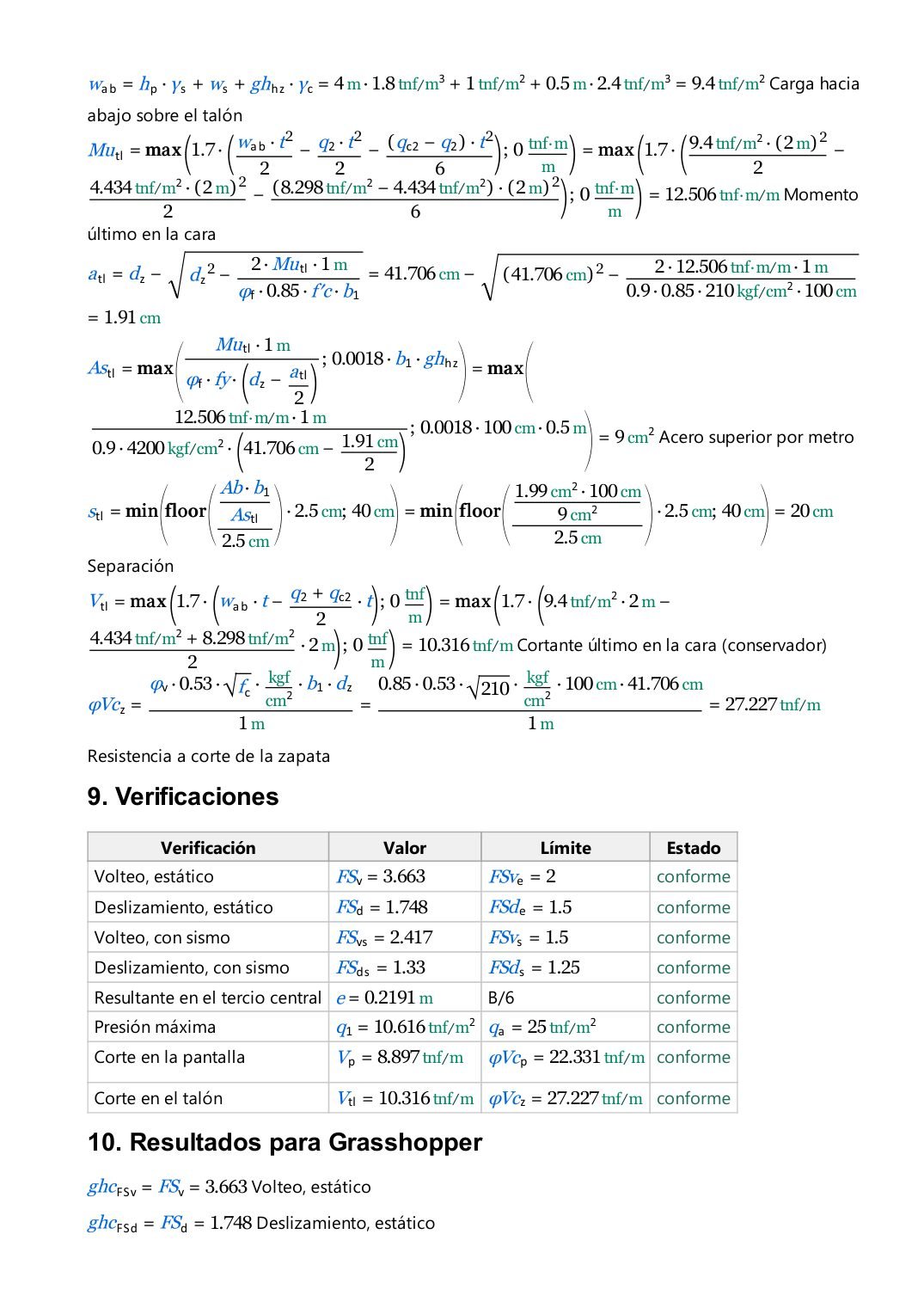
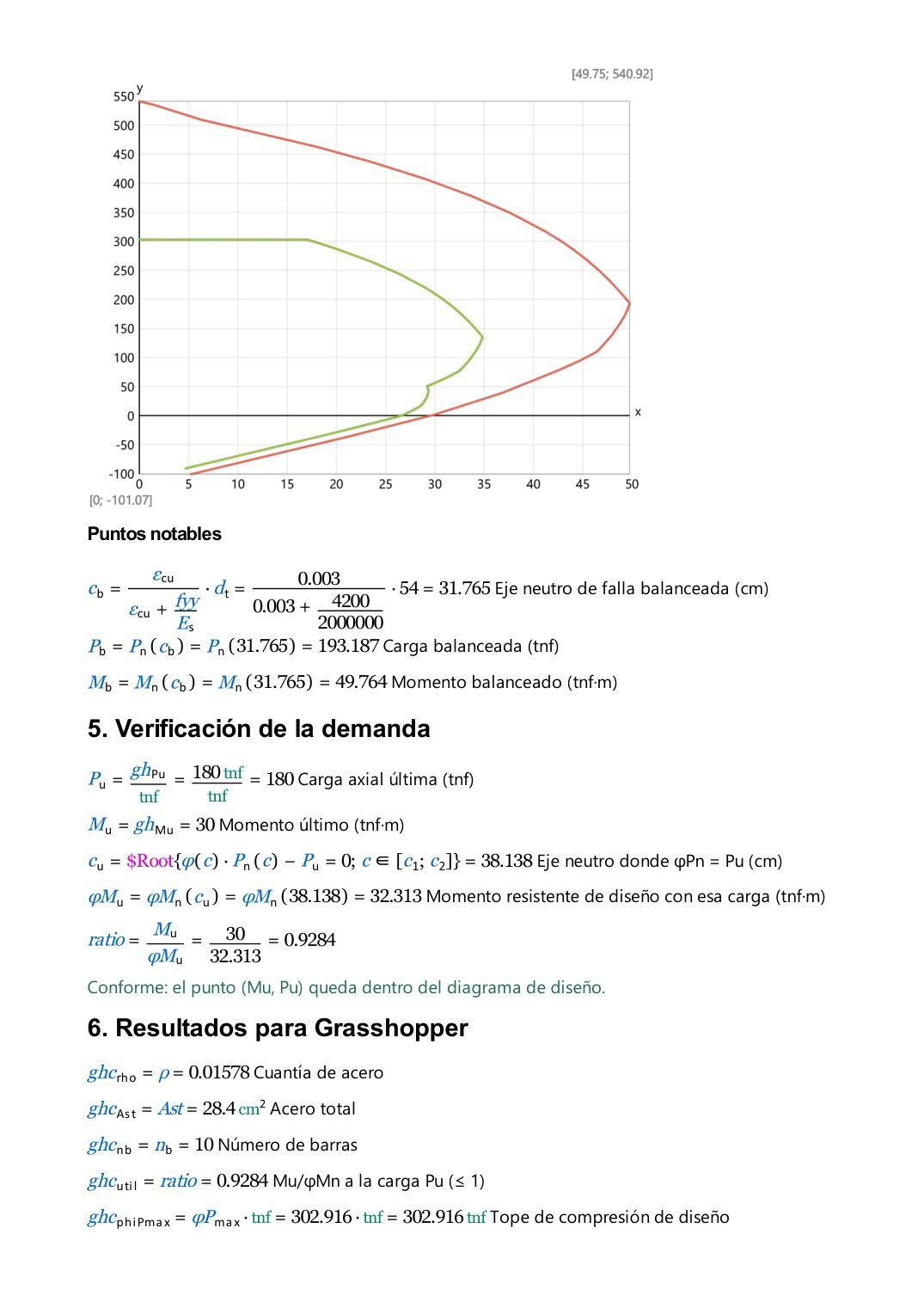
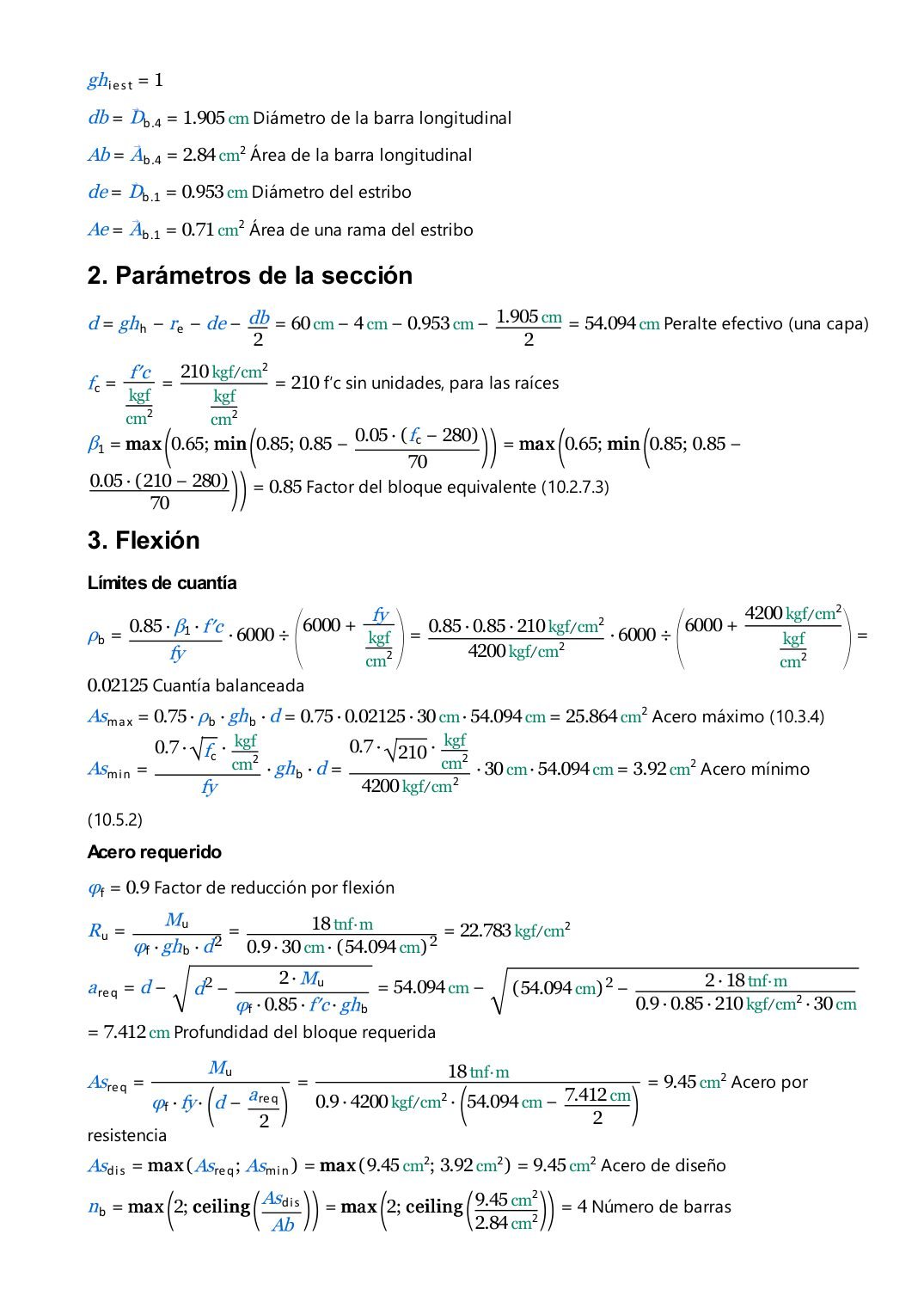
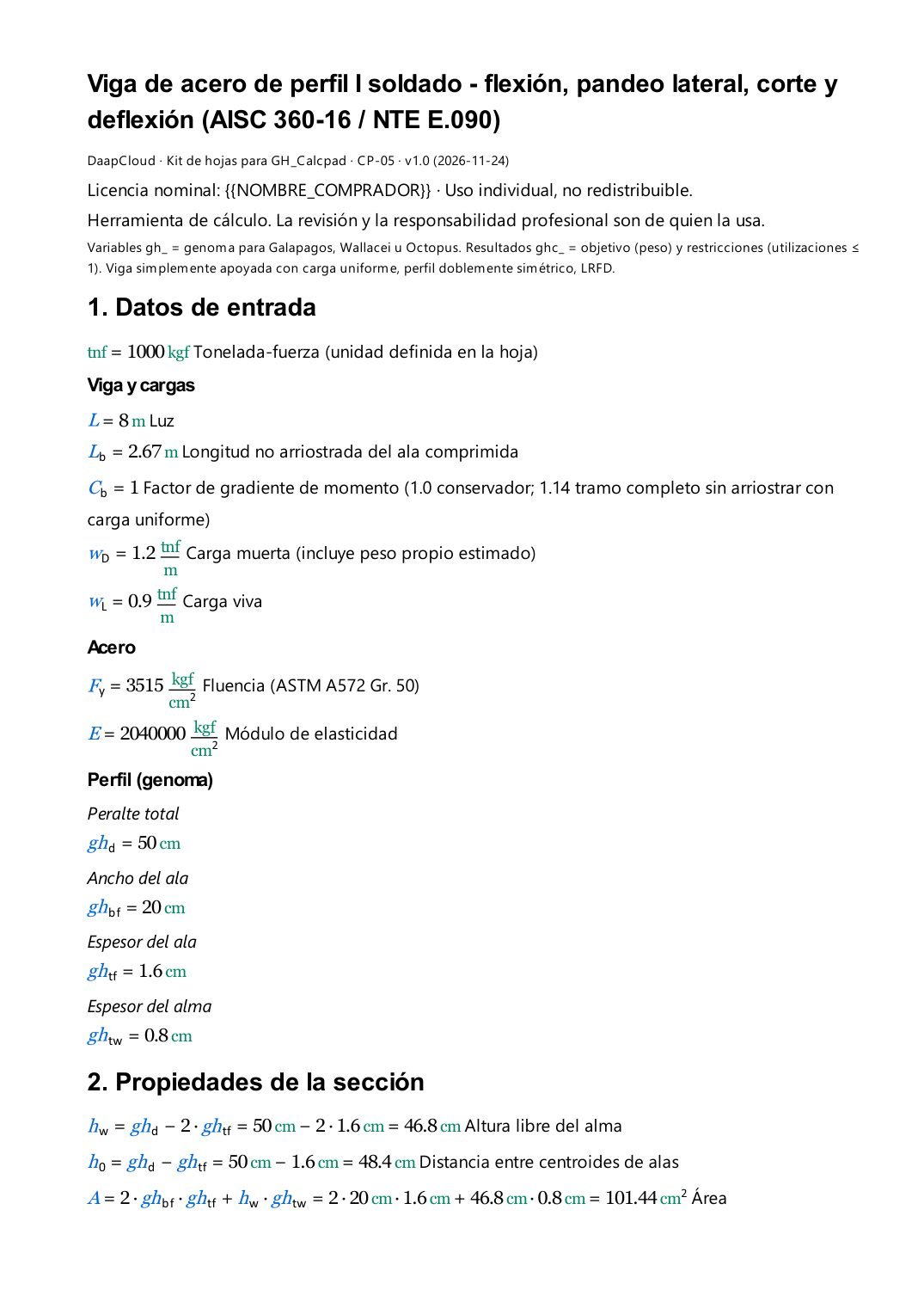
GH_Calcpad sheet kit
.cpd + .gh
- Five .cpd sheets (written in Spanish) that also open in Calcpad desktop
- Five wired-up .gh definitions, with sliders and export to PDF and Word
- Base-case results for each sheet, checked by hand, for comparison
- Kit guide in PDF (Spanish): inputs, ranges, assumptions and how to optimize with Galapagos
S/ 49.00
US$ …
In Peru?




US$ …
Exchange rate applied: S/ … per US$ 1 (SBS selling rate of …, S/ …, plus 5% for the PayPal fee). Price rounded to .99.
Pay in US dollars with PayPal
Loading PayPal…
Installation
Three steps
- 01Download the .zip and, if Windows flags it, unblock it in Properties.
- 02Copy the
GH_Calcpadfolder to the Grasshopper Libraries folder. - 03Restart Rhino: the Calcpad tab appears.
 Food4Rhino
User guide also in Spanish: guía en español (PDF).
Requirements
What you need installed
- Rhino 8 + Grasshopper
- Windows
- .NET Framework 4.8
- already part of Windows
- Calcpad
- not needed: the engine is included
Calculation engine: Calcpad, by PROEKTSOFT, under the MIT license (full notice in third-party licenses). GH_Calcpad is an independent project, not affiliated with PROEKTSOFT.
Questions
Before you download
Is the plugin really free? +
Yes. It is open source under the MIT license: download it, use it and read its code on GitHub. What is sold separately is the sheet kit.
Do I need to install Calcpad? +
No. The Calcpad engine ships inside the plugin. If you want to edit the sheets comfortably, Calcpad desktop is free.
Does it work with my own sheets? +
Yes, with any .cpd. If you name your design variables with gh_ and your results with ghc_, the search components find them by themselves.
Which optimizers can I use? +
Galapagos, Wallacei or Octopus. GH_Calcpad has no optimizer of its own: it turns each combination of variables into a sheet result, and the optimizer does the rest.
What is in the kit? +
Five structural design reports in .cpd (beam, footing, wall, column and steel beam), each with its wired-up .gh definition, ready to export the report to PDF or Word. The sheets follow the Peruvian code E.060 and AISC 360-16, and the reports are written in Spanish.